Seems I forgot to mention that it supports rectangular selections, vertical editing (meaning that it is possible to modify more lines with the same command).
I also found quite useful buffer local properties (written in the file itself). However, I feel that using a completely different standard from Emacs and vi is not a very good idea. Yeah, Java is a world on its own.
Unfortunately, it seems that development is going quite slow. Well, as a TextMate user I should not comment on this... ;)
Unfortunately IDEs like IntelliJ have so much more features that for Java development jEdit is not on par. On the other hand the startup times are very reasonable even on my netbook. I actually favor jEdit over other Windows evolved editors. I need more time in order to make a serious comparison with BBEdit (which I have used since the first versions) and TextMate (which is somehow even more intuitive).
Showing posts with label Software. Show all posts
Showing posts with label Software. Show all posts
Thursday, October 28, 2010


Thursday, October 14, 2010
JEdit: the forgotten editor
These days, I'm rethinking lots of stuff regarding my geeky life. For work reasons, I hugely increased my exposure to Java. And to my surprise, I find it quite bearable. Perhaps, one day, I'll say that I actually like it. This is much more likely if they just add closures... but that's another story.
In this process, I decided to try JEdit. Back then, some people suggested JEdit as a viable alternative. I quite refused the claim based on some hasty experiments. I think that my bias was such that I could not be pleased with it. Perhaps back then (10 years ago or something like that) it was not that good; perhaps not. And then I sticked to my early negative experience.
As a partial excuse I can point out that back then the unix community was very skeptical on everything which was not vim and Emacs (with the same old flame wars among the editors).
Right now, I'm using jEdit quite a lot and I want to describe my impressions. First: its main drawback is that it is slow to load. It is quite objective, even on my MacPro. However, BBEdit is not much faster and I use that regularly. But like BBEdit it is very fast to open new files once it is opened. In other words, you can just leave it open and that is fine. Of course, with vi this is not necessary. The other major drawback is that it can't work in text only mode: if you need to edit files remotely, you might be in a trouble.
However, the ssh/ftp plugin is quite useful and partially solves this problem. By the way, there is no reason not to use vim when needs arises.
jEdit supports 130 syntax languages (according to wikipedia, I did not count them), which is good. In fact, it is likely that you open a file and gets the correct syntax highlight and customizable options for each of them. Which I find nice.
jEdit has very flexible frame management. It is possible to split text area in different parts, dock and undock specific panes. For example with the Console module it is possible to have a "shell". The users chooses to have it in a separate window or to place it at the bottom of the main frame. Emacs anyone?
Of course, in the console windows it is possible to place many different REPLs, such as a Python or a Prolog shell. Or clojure (which, is also installed by the plugin: installing the plugin fully sets up a working clojure environment).


Another very useful feature is the integration with BeanShell (which allows running Java snippets). Moreover, plugins can also be written in Jython and other JVM supported languages. Of course there are plugins providing Java autocomplete and refactoring and similar stuff.
The are plugins to do spell-check and most things one expects from a text editor, latex mode, etc etc etc. The XML mode provides autocomplete for HTML files (or perhaps it is just builtin), and that makes it quite a powerful editor for HTML.
jEdit supports macros, which should be rather akin to other macro facilities ;they do not only generate text (but can remove, modify or do completely text unrelated stuff like changing interface elements). I have not explored this part yet.
Then, it comes to basic text editing capabilities. Here is the point where most NENV (Non Emacs, Non Vim) editors fail. They just suck at manipulating text. jEdit, even though not the most powerful editor I tried, is an honest contender here.
Abbreviations provide expansion of long snippets of text. Buffer based completion is also available.
The clipboard is very powerful: there are "registers" and it is possible to manipulate text in there, append text to clipboard, vertical paste, etc. All this possibilities have keyboard shortcuts.
Selection is also keyboard controllable (move one word/character/paragraph forward/backward etc). It is possible to select code blocks, up to parentheses, etc...
Search comes in two flavors: incremental search and "standard" search. Regular expressions are available. Moreover, it is possible to apply search to whole directories, filtering files according to file names. The "replace" part can also be provided by a bean shell expression, which basically gives unlimited power to the replace feature.
Other text related features (spaces->tabs, lowercase, delete to end of line, delete to start of line, etc) are provided. So it is paren matching.
Markers (bookmarks) are supported, and so it is folding. Some utilities (file managers and similar stuff) are provided, and manual editing of jedit configuration files is also available.
I think that jEdit is a seriuos contender in the "2nd generation" editor market. It is free, it supports many languages in a rather complete way. Of course, many languages which are supported in Emacs (haskell, ocaml, erlang, ...) are not supported. However, it is a nice alternative to do lightweight java editing, to work with Python, web editing and similar stuff. Moreover, it is a very interesting alternative for Clojure/Scala development.
In this process, I decided to try JEdit. Back then, some people suggested JEdit as a viable alternative. I quite refused the claim based on some hasty experiments. I think that my bias was such that I could not be pleased with it. Perhaps back then (10 years ago or something like that) it was not that good; perhaps not. And then I sticked to my early negative experience.
As a partial excuse I can point out that back then the unix community was very skeptical on everything which was not vim and Emacs (with the same old flame wars among the editors).
Right now, I'm using jEdit quite a lot and I want to describe my impressions. First: its main drawback is that it is slow to load. It is quite objective, even on my MacPro. However, BBEdit is not much faster and I use that regularly. But like BBEdit it is very fast to open new files once it is opened. In other words, you can just leave it open and that is fine. Of course, with vi this is not necessary. The other major drawback is that it can't work in text only mode: if you need to edit files remotely, you might be in a trouble.
However, the ssh/ftp plugin is quite useful and partially solves this problem. By the way, there is no reason not to use vim when needs arises.
jEdit supports 130 syntax languages (according to wikipedia, I did not count them), which is good. In fact, it is likely that you open a file and gets the correct syntax highlight and customizable options for each of them. Which I find nice.
Plugins
jEdit plugins are very easy to install; easier than default installation process on Emacs and vim, though auto-installers are catching up. In fact, even easier than text mate and bbedit plugins. In the plugin list, there are lots of different plugins; the majority are java related, but this is not exclusive. Some plugins just remind me of good old programming practices. For example the whitespace plugin does many whitespace related functions, like showing trailing whitespace and auto-removing it on save or auto-converting between tabs and spaces. This is something most programmers want.jEdit has very flexible frame management. It is possible to split text area in different parts, dock and undock specific panes. For example with the Console module it is possible to have a "shell". The users chooses to have it in a separate window or to place it at the bottom of the main frame. Emacs anyone?
Of course, in the console windows it is possible to place many different REPLs, such as a Python or a Prolog shell. Or clojure (which, is also installed by the plugin: installing the plugin fully sets up a working clojure environment).


Another very useful feature is the integration with BeanShell (which allows running Java snippets). Moreover, plugins can also be written in Jython and other JVM supported languages. Of course there are plugins providing Java autocomplete and refactoring and similar stuff.
The are plugins to do spell-check and most things one expects from a text editor, latex mode, etc etc etc. The XML mode provides autocomplete for HTML files (or perhaps it is just builtin), and that makes it quite a powerful editor for HTML.
Macros
jEdit supports macros, which should be rather akin to other macro facilities ;they do not only generate text (but can remove, modify or do completely text unrelated stuff like changing interface elements). I have not explored this part yet.
The Editor
Then, it comes to basic text editing capabilities. Here is the point where most NENV (Non Emacs, Non Vim) editors fail. They just suck at manipulating text. jEdit, even though not the most powerful editor I tried, is an honest contender here.
Abbreviations provide expansion of long snippets of text. Buffer based completion is also available.
The clipboard is very powerful: there are "registers" and it is possible to manipulate text in there, append text to clipboard, vertical paste, etc. All this possibilities have keyboard shortcuts.
Selection is also keyboard controllable (move one word/character/paragraph forward/backward etc). It is possible to select code blocks, up to parentheses, etc...
Search comes in two flavors: incremental search and "standard" search. Regular expressions are available. Moreover, it is possible to apply search to whole directories, filtering files according to file names. The "replace" part can also be provided by a bean shell expression, which basically gives unlimited power to the replace feature.
Other text related features (spaces->tabs, lowercase, delete to end of line, delete to start of line, etc) are provided. So it is paren matching.
Markers (bookmarks) are supported, and so it is folding. Some utilities (file managers and similar stuff) are provided, and manual editing of jedit configuration files is also available.
Conclusion
I think that jEdit is a seriuos contender in the "2nd generation" editor market. It is free, it supports many languages in a rather complete way. Of course, many languages which are supported in Emacs (haskell, ocaml, erlang, ...) are not supported. However, it is a nice alternative to do lightweight java editing, to work with Python, web editing and similar stuff. Moreover, it is a very interesting alternative for Clojure/Scala development.
Tuesday, October 5, 2010
Me and my IDE
Introduction
As customary in my articles on text editors and IDE I originally started this post with a self-condescending presentation of my skills and expertise. Then there have been some miscomprehension between chrome and blogger and the second part of the draft was not saved although blogger stated otherwise.
As a consequence I had the more self-condescending part and I lost the slightly more interesting one. I thought to do everybody a favor and delete that stuff. Now, a slightly less condescending paragraph on myself in order to motivate my point of view.
The past
I almost always used editors. Emacs, vim… and when on BBEdit and TextMate. Ah… light tools. Not only that: I was quite vocal in the IDE vs. Editor war (from the editor side, of course). And this can also be related to my choice of “freedom languages” (more on this on later posts, perhaps?).
But some weeks ago I realized that now, without noticing, I’m mostly using IDEs. How has that happened? The easy part to explain is the Java related one. Java greatly benefits from IDEs (or perhaps the widespread diffusion of IDEs has tampered the development of good language features?); in fact it is quite much harder to develop Java without an IDE, since the language is very verbose. On the other hand its restrictions and bounds make it quite easier to develop good and powerful tools. Of course I could use UltraEdit on Windows… but no luck with OS X and Linux (moreover, I had to pay that as well… and I preferred to buy IntelliJ).
Emacs has very nice modules to work with Java. On the other hand they have to be installed separately (and in my experience also slowed down normal operations). When I have to loose to much time configuring my editor, I usually try other solutions. That is why I used TextMate and BBEdit extensively… because they are almost already set-up. I also like vim, since has decent default setups for most situations.
For somewhat similar reasons, I bought WingIDE to work with Python. I could set up Emacs (or vim) to do that stuff, of course. Still, I had not much time, not motivation… and I bought the thing. I especially liked it because it worked equally well on single files and on large projects. It also had the best auto-completion for Python I ever tried, nice debugging features (I use them rarely, but when I do I love to have an easy to use environment, especially because I use them rarely and I tend to forget the tricks). In the pack there is also nice support for unit-testing (and that is a definite plus).
In the same time I worked extensively with C++. I mostly used editors (vim, because I especially like it with C/C++) and BBEdit because of its easy to set up “project management” features. BBEdit also has most the processing power of classical editors and that is nice. I quite enjoyed the best effort auto-completion it provided and ctags based stuff. Ok… still too much template metaprogramming (or simply correct and not basic use of templates) crippled smart “IDE like” features which I would have liked.
In other words, I sincerely craved for a nice C++ IDE. Perhaps I should try Java based IDEs with C++ as well… I may be surprised. Though I hate setting up projects in IDEs. Every IDE has its conventions and it is not always immediate how to work with a project that both needs “classical command line build interface” (which is something I’m not disposed – nor can I afford to – lose) and the IDE based build. Somewhat CMake eases the problem, but at the price of restricting myself to the supported IDEs.
Other languages I use, but I think that they account for less than 30% of my development time (and it is going to drop). And perhaps they could be moved to IDEs as well… as soon as I solve the “single file project problem” [or I simply give up my hopes with that].
This basically rules me out from editor flame-wars. Still, I believe that learning using IDEs is a terrible mistake… but is a modest position. Moreover, nowadays most editor proponents show you how to add all the IDE features to their editor of choice. So what’s the point? It’s not an Editor vs. IDE matter, it’s Emacs vs. Eclipse. And somewhat I believe Eclipse is going to become what Emacs was in the past years. And hopefully it is going to become faster like Emacs did…
The future
So what now? I’m lazy to the bone. And I’m quite new to the IDE world. I have my habits and I don’t really want to change them. And don’t believe the ones who tell that using IDEs is easier. Nor faster. It depends on your skill set. As I have my own requirements, some things may be slower with IDEs, at least until I figure out how to do them.
Which basically means that an IDE is not automatically more productive: it may be, provided that you know the tool. Yes, some have a very good learning curve (like WingIDE), others are very good, but need you to figure the way they work to exploit them fully (IntelliJ). Moreover, I still have to figure out how to develop Java projects easily built both with IDEs and with command line tools. Perhaps I should explore maven (which should be well integrated with all the main IDEs). After-all its racist on my part to spend time with cmake and auto-tools and not doing that for Java “based” projects.
Saturday, September 4, 2010
ErgoEmacs
I recently stumbled[0] on the ErgoEmacs project. Well, it looks very promising.
I like the huge set of libraries they packed in and how easy it is the installation process.
If I discovered this one before, it would have saved me lots of time in learning the minimum basis of elisp needed to configure my emacs.
Unfortunately, in the meantime (which means... a lot of years, indeed) when my brains sees an Emacs window, it switches to Emacs mode. That is to say that the easier keybindings ErgoEmacs provides are, for me, very hard to learn. This is rather surprising, since when I use TextMate or BBEdit I don't have no troubles in using the editors (though many Emacs keybindings are recognized).
I don't even have troubles with vim. Why is so hard to use an Emacs which does not behave like Emacs, considering I'm not particularly fond of how Emacs behaves? What did Emacs do to my brain?
I like the huge set of libraries they packed in and how easy it is the installation process.
If I discovered this one before, it would have saved me lots of time in learning the minimum basis of elisp needed to configure my emacs.
Unfortunately, in the meantime (which means... a lot of years, indeed) when my brains sees an Emacs window, it switches to Emacs mode. That is to say that the easier keybindings ErgoEmacs provides are, for me, very hard to learn. This is rather surprising, since when I use TextMate or BBEdit I don't have no troubles in using the editors (though many Emacs keybindings are recognized).
I don't even have troubles with vim. Why is so hard to use an Emacs which does not behave like Emacs, considering I'm not particularly fond of how Emacs behaves? What did Emacs do to my brain?
Notes
[0] Thanks, Nicola!Monday, June 21, 2010
Glad I chose Blogger
This new command line thing is awesome.
Probably I would have regretted if I chose another blog service.
This also makes me think writing the crappy little blogging application for Linux should be pretty easy. :)
Probably I would have regretted if I chose another blog service.
This also makes me think writing the crappy little blogging application for Linux should be pretty easy. :)
Tuesday, February 24, 2009
Emacs, Carbon Emacs and color-theme
I don’t like very much standard emacs theme, especially when in “GUI” mode (that is to say Carbon Emacs/Aquamacs if you are on the mac).
Luckily color-theme module does an excellent job. I have a long list of themes ready to be selected. In fact, for nostalgic reasons I like the “Classic” theme.
I wanted this theme to be automatically loaded when I start Emacs. Unfortunately default OS X Emacs does not have color-theme installed (and I don’t mind the way it looks by default in the terminal). So it was only a matter of conditionally branching between GUI emacs and terminal Emacs.
Moreover, I could not use (require ‘color-theme), for this would give error when run in the terminal version. This is my solution:
Luckily color-theme module does an excellent job. I have a long list of themes ready to be selected. In fact, for nostalgic reasons I like the “Classic” theme.
I wanted this theme to be automatically loaded when I start Emacs. Unfortunately default OS X Emacs does not have color-theme installed (and I don’t mind the way it looks by default in the terminal). So it was only a matter of conditionally branching between GUI emacs and terminal Emacs.
Moreover, I could not use (require ‘color-theme), for this would give error when run in the terminal version. This is my solution:
(defun my-color ()
 (load-library "color-theme")
 (color-theme-initialize)
 (color-theme-classic))
    (if window-system
     (my-color))
Tuesday, October 14, 2008
New tab in current directory (Terminal.app)
One of the most annoying things is when you have to open a new tab
in the current position. Say the shell in the current tab has x
as the current working directory and you want another shell already
in that directory.
It seems there is no way to tell Terminal.app "open new tab"
from apple script. Mixing solutions found on the web, I came up with:
Ugly, but works.
in the current position. Say the shell in the current tab has x
as the current working directory and you want another shell already
in that directory.
It seems there is no way to tell Terminal.app "open new tab"
from apple script. Mixing solutions found on the web, I came up with:
tell application "Terminal"
    set oldMem to (do shell script "pbpaste")
    set theTab to selected tab of the front window
    (do script "pwd | pbcopy" in theTab)
    set theText to (do shell script "pbpaste")
    tell application "System Events" ¬
        to tell process "Terminal" ¬
            to keystroke "t" using command down
    do script with command ¬
        "cd "& theText & ";clear "¬
        in selected tab of the front window

    do shell script "echo \""& oldMem & "\" | pbcopy"
end tell
Ugly, but works.
Sunday, October 5, 2008
Terminal.app ANSI Colors
Since Leopard, I did not have a good application able to change ANSI colours in Terminal.app.
Even though it does not seem a particularly pressing issue, the defaults are quite bad: the standard blue is quite too dark to be used on a dark background, so you have to use a light one. Unfortunately enough, some applications assume a dark background (for example, ipython). Of course, these applications can be personalized, but using a dark background can also be just a matter of taste.
Luckily enough, today I found TerminalColoreopard. It works well, it is easy to use, and solved my problem.
Even though it does not seem a particularly pressing issue, the defaults are quite bad: the standard blue is quite too dark to be used on a dark background, so you have to use a light one. Unfortunately enough, some applications assume a dark background (for example, ipython). Of course, these applications can be personalized, but using a dark background can also be just a matter of taste.
Luckily enough, today I found TerminalColoreopard. It works well, it is easy to use, and solved my problem.
Friday, October 3, 2008
iCab
Today iCab is discounted on mupromo (50%).
Here it is the wikipedia article and here the website of the author.
iCab is a browser for the Mac. It is much more: it is a piece of WWW and Mac history. For a long time it has been the only relatively functional browser for MacOS Classic (after Moz dropped support for the platform).
It's a one man affair and once it used to have its custom rendering engine (until version 3). Now it's a nifty commercial browser with some nice features. Of course WebKit is great and means good support, but I kind of regret it does not use its own engine anymore. Diversity is good...
What has iCab that Firefox hasn't? Nothing. It has a great affective value. Of course, if you've got a MacOS 9, 8 or 7.5 system, it is also the only browser (version 3 from MacOS 8.1 and version 2.x from MacOS 7.5).
Still, its a good tool. It has some nice features, for example the smiley which signals when a website (or CSS) is not standard and opens a windows with the errors.
It has got some relics of when browsing was costly and slow: an offline mode and an acoustic signal triggered when it finishes to load a page.
And it's the only tabbed browser for older macs (but this isn't technical, is it?).
It's quite fast, indeed. And it has a very good filter system. Filters are quite general personalization tools: for example they can be used to add a "download" link to YouTube videos or create an AdFilter. iCab has a very good session management, too.
And that's it: it's not rocket science. It's a little old browser. But at $12.5 it's a bargain!
Tuesday, October 31, 2006
Monday, April 10, 2006
Texniscope Intel
I have just compiled a Texniscope version for Intel.
It works for me, tell me if it works for you too.
Download
[BROKEN LINK!] If you really need this, email me, I will search it on my hard drive.Thursday, March 23, 2006
Darwin Ports vs. Fink
Well... on my PB I recently installed Fink. It run smoothly. Fine. Here on my MacIntel I installed Darwin ports, since Fink is alpha on MacIntel.
DP is amazing. Works with no hassle and all. It's main disadvantage is that it compiles everything (and that is not quite a problem, since I have a 2 GHz DC processor). Well, I have always been a DP fan (being a BSD fan)... and I have to say they have improved.
Of course (as soon and it becomes more mature) some may prefer to use fink. Not having to deal with compiling issues (that are really rare on DP indeed) can be an advantage (or at least a speed up). Moreover DP lacks a decent UI.
For a cl geek like me this is not an issue (I tended to use fink that way too). But if yoou are used to sparkling icons, it may not be for you.
Thursday, February 23, 2006
Window Shade X
Credo di non avere mai decantato pubblicamente questo piccolo software. Lo registrai per la modica cifra di 10 $ (molto moderate. Quando un programma è buono e mi piace, lo compro, anche se è commerciale [ posto che me lo possa permettere ]. Questo è ancora più valido se si tratta di software di piccole case o singoli sviluppatori che mettono passione nel loro lavoro.
È il caso di TextMate di Allan Odgaard e di BBEdit (questa per esempio è una media software house che si dedica da anni a sviluppare ottimo software per Mac). È il caso di Yojimbo, sempre di BareBones (questo lo sto ancora valutando nei 30 giorni di prova). È il caso di GraphicConverter, che ho usato a sorti alterne credo fin dalla versione 1 sui miei vecchissimi Mac (e adesso uso in quanto la licenza viene pagata da Apple se acquisto un Mac di fascia "pro"). È il caso di MacSOUP (anche se ultimamente mi sto stancando di quanto poco sia "aquoso", d'altra parte è uno di quei programmi che la licenza la paghi una volta e poi lo usi sempre).
Beh... fra questi ottimi software ci sono anche un paio di utility di Unsanity. Mi riferisco in particolar modo a FruitMenu e a WindowShade X. Dei due quello che uso più di frequente è senza dubbio il secondo. Altre utility interessanti di Unsanity sono ShapeShifter per cambiare il tema al MacOS e MenuMaster che sto valutando.
Window Shade X
Una delle cose che meno tollero di MacOS X è il dock. Lo trovo una brillante idea terribilmente sprecata. Al di la di ovvi problemi di coerenza di interfaccia (ad esempio al di la del separatore ci stanno finestre minimizzate, documenti, cartelle e cestino, mentre a mio avviso almeno le finestre dovrebbero essere da un'altra parte). Dicevo, le finestre da un'altra parte anche per ragioni di spazio.
Se si minimizzano molte finestre il dock si allunga e diviene quasi ingestibile. Questo problema viene risolto brillantemente da WindowShade X. Infatti permette di "minimizzare le finestre sul desktop: cosa intendo? Guardate l'immagine.
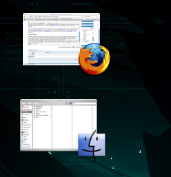
In questo modo posso facilmente minimizzare le finestre (posso anche spostarle sul desktop come fossero icone). Per esempio posso "rebindare" il pulsantino giallo per fare questo e continuare a minimizzare sul dock con Mela-M.
Per chi se lo stesse chiedendo... si, la minimizzazione sul desktop è simile a quello che fanno alcuni window manger sotto X11, per esempio twm [ ovviamente in modo oltremodo più raffinato, come si può vedere dall'immagine ] oppure il mio amatissimo WindowMaker. Triste che oggi ci si sia tutti o quasi omologati su sistemi molto più pesanti anche su GNU/Linux (senza nulla togliere a GNOME e KDE, solo meno "originali", per come la vedo io).
Un'altra funzione davvero comoda (la maggior parte delle volte uso questa) è minimizzare una finestra alla sua barra del titolo facendo doppioclick sulla stessa. Questo c'era in MacOS 9 e Apple lo ha (stupidamente?) tolto in MacOS X. È qualcosa presente anche su molti wmanager per X11, metacity per citarne uno.
Il tutto coopera perfettamente con Exposè e rende lavorare con molte finestre davvero comodo.
Altre funzioni sono quelle di fare diventare trasparente una finestra oppure di renderla "floating" sopra tutto il resto (per esempio una chat, un player audio minimizzato, boh). Insomma... davvero geniale WindowShade X.
Stattoo
Stattoo è una piccola utility fatta da Panic. Uno dei più celebri prodotti di Panic è Transmit, a detta di molti il miglior client FTP per Mac (io personalmente sono affezionato a Fetch, che come studente posso avere in licenza gratuita e che ho usato fin dalla versione 1.x nei primi anni '90, ma i meriti di Transmit sono indubbi).
Un'altra applicazione di Panic è Unison, ottimo newsreader per gruppi binari (per i le discussioni francamente lo trovo abbastanza povero, ma si stanno attrezzando). Ad ogni modo, ora è il turno di "Stattoo". Il prezzo è 12.9 $. L'applicativo stampa sul desktop alcune informazioni con una bella veste grafica.

Per ora sono disponibili:
Varrebbe la pena di comprarlo anche solo per i punti 3 e 4. E anche la batteria è comodissima. Inoltre si può "sollevare" Statoo in trasparenza sopra le altre finestre schiacciando un tasto.

La cosa che però mi ha fatto decidere definitivamente per l'acquisto è stata la professionalità. Ho inviato una email facendo presente che per la mia città (Parma) non era disponibile un codice areoportuale ICAO (per le città non-USA viene usato questo per identificarle) e quindi non potevo usare il modulo "Weather".
In effetti non è che la mia città non avesse un codice ICAO, solo il sito da Panic consigliato per scoprire tali codici presentava solo il codice IATA (un'altra sigla, poco importa cosa siano effettivamente). Ho mandato una email per chiedere consigli, dicevo.
Un gentilissimo dipendente (o forse proprietario o programmatore) mi ha risposto dicendomi il codice ICAO della mia città. Ovviamente funziona tutto. Immagino che in caso di problemi (all'epoca non ero ancora registrato) siano altrettanto celeri. E questo deve essere il valore aggiunto delle piccole case software: idee, ben realizzate e rapporto "umano" con il cliente.
Un'altra applicazione di Panic è Unison, ottimo newsreader per gruppi binari (per i le discussioni francamente lo trovo abbastanza povero, ma si stanno attrezzando). Ad ogni modo, ora è il turno di "Stattoo". Il prezzo è 12.9 $. L'applicativo stampa sul desktop alcune informazioni con una bella veste grafica.
Per ora sono disponibili:
- Ora
- Data
- Appuntamenti di iCal
- Ultime Mail di Mail o di un qualunque account pop/imap anche non specificato in Mail
- Lo stato di iTunes
- Lista degli ultimi software arrivati su VersionTracker
- Spazio occupato sui vari dischi
- Temperatura locale
- Stato della batteria
Varrebbe la pena di comprarlo anche solo per i punti 3 e 4. E anche la batteria è comodissima. Inoltre si può "sollevare" Statoo in trasparenza sopra le altre finestre schiacciando un tasto.

La cosa che però mi ha fatto decidere definitivamente per l'acquisto è stata la professionalità. Ho inviato una email facendo presente che per la mia città (Parma) non era disponibile un codice areoportuale ICAO (per le città non-USA viene usato questo per identificarle) e quindi non potevo usare il modulo "Weather".
In effetti non è che la mia città non avesse un codice ICAO, solo il sito da Panic consigliato per scoprire tali codici presentava solo il codice IATA (un'altra sigla, poco importa cosa siano effettivamente). Ho mandato una email per chiedere consigli, dicevo.
Un gentilissimo dipendente (o forse proprietario o programmatore) mi ha risposto dicendomi il codice ICAO della mia città. Ovviamente funziona tutto. Immagino che in caso di problemi (all'epoca non ero ancora registrato) siano altrettanto celeri. E questo deve essere il valore aggiunto delle piccole case software: idee, ben realizzate e rapporto "umano" con il cliente.
Opera 9 (preview)
La prima cosa che salta all'occhio è la nuova interfaccia. Più browser e meno "pacchetto integrato". Di default ci viene mostrato solo il minimo indispensabile come si vede nello screen

Le classiche toolbar sono comunque tutte accessibili attraverso il solito Menu.
La prima cosa che faremo sarà caricare una pagina. Qui rimarremo sorpresi. La velocità è impressionante (sicuramente la velocità percepita). Anche il resto del programma rimane decisamente reattivo.
Alcuni binding sono cambiati (per esempio adesso per aprire un nuovo tab possiamo usare Mela-T/Ctrl-T come su Firefox e Safari, mentre prima, se la memoria non mi inganna, era Mela-Option-N, con eventualmente sostituito Mela da Ctrl se sotto X11 o Windows).
I bookmark sono stati importati in un batter d'occhio. Bene. Per posta e altro non mi esprimo, non sono funzioni che uso, preferendo di gran lunga programmi apposta, come Apple Mail e NetNewswire -- newsfeed --).
Il problema più grosso temo sia *esportare* i bookmark. Passare da un altro browser ad Opera è facile, non altrettanto facile il contrario, purtroppo. L'ultima volta lo feci attraverso un servizio web esterno (questo) . Tale sito fra le varie cose offre un convertitore di file di bookmarks da e per moltissimi programmi diversi.
AJAX pare funzionare bene (a parte un problemuccio su Wordpress, qui, sulle immagini, ma cose "complesse" come per esempio l'editor di post WYSIWYG in javascript avanzato funziona decisamente bene).
Ribadisco... veloce, interessante. Vediamo Google cosa inventerà, perchè per adesso Opera 9 sembra una versione riveduta e corretta di Opera 8, ma non offre davvero quanto Firefox, ne è integrato come Safari.
Comunque da tenere sott'occhio senza dubbio.
Le classiche toolbar sono comunque tutte accessibili attraverso il solito Menu.
La prima cosa che faremo sarà caricare una pagina. Qui rimarremo sorpresi. La velocità è impressionante (sicuramente la velocità percepita). Anche il resto del programma rimane decisamente reattivo.
Alcuni binding sono cambiati (per esempio adesso per aprire un nuovo tab possiamo usare Mela-T/Ctrl-T come su Firefox e Safari, mentre prima, se la memoria non mi inganna, era Mela-Option-N, con eventualmente sostituito Mela da Ctrl se sotto X11 o Windows).
I bookmark sono stati importati in un batter d'occhio. Bene. Per posta e altro non mi esprimo, non sono funzioni che uso, preferendo di gran lunga programmi apposta, come Apple Mail e NetNewswire -- newsfeed --).
Il problema più grosso temo sia *esportare* i bookmark. Passare da un altro browser ad Opera è facile, non altrettanto facile il contrario, purtroppo. L'ultima volta lo feci attraverso un servizio web esterno (questo) . Tale sito fra le varie cose offre un convertitore di file di bookmarks da e per moltissimi programmi diversi.
AJAX pare funzionare bene (a parte un problemuccio su Wordpress, qui, sulle immagini, ma cose "complesse" come per esempio l'editor di post WYSIWYG in javascript avanzato funziona decisamente bene).
Ribadisco... veloce, interessante. Vediamo Google cosa inventerà, perchè per adesso Opera 9 sembra una versione riveduta e corretta di Opera 8, ma non offre davvero quanto Firefox, ne è integrato come Safari.
Comunque da tenere sott'occhio senza dubbio.
Wonderful Terminal...
I just love it. Yeah... an old screen on my Mac.
http://ldopa.net/2006/01/14/glterminal/
http://ldopa.net/2006/01/14/glterminal/
TextMate: the definitive editor?
Unfortunately it appears I've no time to talk about programming. It takes lot of time to think about something useful, to write examples and such. However, I promise I will doing it soon.
And yet I'm again talking about a text editor. In fact since most of my computer time is spent on an editor, this makes sense. It's the most crucial application to me (and the one I spend most time to learn using its full power).
I already said I discovered TextMate. The more I study the more I'm amazed. In fact it did substitute Aquamacs even for latex editing. The new bundle is perfectly integrated with Texniscope and "Command-B" opens in TextMate the pdf document compiled from the document I'm editing. That makes environment such that TexShop almost useless to me.
Emacs is more powerful. But most of the times I'm not using that power. It's my fault, of course. Still TextMate is always open on my Mac, and I started using it even for latex. That's the main reason. If I have to do a very long latex editing session I still do prefer Aquamacs.
The Python mode is now wonderful. It lets me check my sources with pychecker or with pyflakes. It allows me to run them from inside TextMate, lets me run unit-tests with one command. And even more. Right at the moment it's the best python programming environment I've ever met (a part from WingIDE).
The only thing I'm missing right now is a "prolog mode". And probably I have to work on TextMate/Xcode integration (it has been done, but I haven't done it yet). Oh, and I'm looking forward to see TextMate 2, that should have massive improvements on the "project management" side. And probably I'd like some more refined auto-completion with static languages. This could have somehow been added (TextMate can be extended and customized a lot, still in a really simple way), but I've not yet discovered if and how.
But the reason I wrote this is another. For years the "Text editors" with capital T have been Emacs and vim. BBEdit was a beautiful Mac editor, but first it is very web-oriented, second it is somehow less powerful in the way it deals with text.
On the windows platform I have not found really impressive text editors. There are a bunch that are powerful and easy to use. But in fact I installed vim (gvim) and I was happy with that. Most such editors were more concerned in "integrating" command line utilities (compilers, latex, interpreters) with the editor not to have the "programmer" opening the "DOS console" than pure text editing.
Newer editor for Linux (Kate for example) also paled in comparison with Emacs or vim. Now I'm wondering:
- Was I superficial? It is possible that no one did something that could be compared with vim or Emacs before TextMate? This seems really unlikely.
- Why haven't I spotted such editors? They exist? Let me know. I'm talking about "pure text editors", not about "IDEs".
Tunatic (Italian)
Tunatic è un piccolo software non intrusivo che identifica le canzoni. Prende il suo output dal microfono e attraverso un database online le confronta con quelle che ha in memoria. I risultati sono sorprendentemente buoni.
Ho sottoposto canzoni di diverso genere musicale, e spesso le canzoni (tipicamente rock) sono state riconosciute anche dal solo riff. In compenso si trova più in difficoltà con parti "lead".
È invece stato assolutamente incapace di riconoscere canzoni (di altre) suontate dal sottoscritto. Anche con i live si trova abbastanza in difficoltà.
Potete anche arricchire il db, se trovate una canzone di cui sapete l'origine e che non è presente
Links
Ho sottoposto canzoni di diverso genere musicale, e spesso le canzoni (tipicamente rock) sono state riconosciute anche dal solo riff. In compenso si trova più in difficoltà con parti "lead".
È invece stato assolutamente incapace di riconoscere canzoni (di altre) suontate dal sottoscritto. Anche con i live si trova abbastanza in difficoltà.
Potete anche arricchire il db, se trovate una canzone di cui sapete l'origine e che non è presente
Links
- Stevie Wonder
- Higher ground (ok)
- Don't you worry about a thing (ok)
- Nightwish
- Come cover me (ok)
- Saxon
- The crusader (no)
- Just let me rock (no)
- Rhapsody
- Forest of unicorns (ok)
- Dargor, Shadowlord Of The Black
- Helloween
- The twilight of the Gods (ok)
- March of time (no)
- Future world (ok)
- Dire Straits
- Money for nothing [senza arrivare nemmeno al riff] (ok)
- Two young lovers (no)
- Les Boys (ok)
- Solid rock (live) (no)
- Royksopp
- Alpha male (ok)
- A beautiful day without you (ok)
- So easy (ok)
- Tim Buckley
- Gypsy woman (no)
- Dream letter (yes)
- Cat Stevens
- Father and son (yes)
- Miles from nowhere (yes)
- Chieftains
- O'Sullivans March (no)
- Bandabardò
- Ewa (no)
- Sette sono i re (no)
- Orbital
- Halcyon (yes)
TextMate 1.5 is out
New TextMate version is out. It is a big improvement over the last stable (I happen not to know which version number it had, since I've always been on the edge with betas -- and with no problems, update system is wonderful )
These are some of its new features (following list is copy & pasted from TextMate website)
- Ability to Search and Replace in a Project
- Auto-Indent for Common Actions Like Pasting Text
- Auto-Pairing of Brackets and Other Characters
- Clipboard History
- Column Selections and Column Typing
- Completion of Words from Current Document
- CSS-like Selectors to Pinpoint the Scope of Actions and Settings
- Declarative Language Grammars for Graceful Mixing and Hacking
- Dynamic Outline for Working With Multiple Files
- Expand Trigger Words to Code Blocks With Tab-able Placeholders
- File Tabs when Working With Projects
- Foldable Code Blocks
- Function Pop-up for Quick Overview and Navigation
- Plug-able Through Your Favorite Scripting Language
- Recordable Macros With No Programming Required
- Regular Expression Search and Replace (grep)
- Run Shell Commands from Within a Document
- Support for Darcs, Perforce, SVK, and Subversion
- Support for More Than 50 Languages
- Switch Between Files in Projects With a Minimum of Key Strokes
- Themable Syntax Highlight Colors
- Visual Bookmarks to Jump Between Places in a File
- Works As External Editor for (s)ftp Programs
- Works Together With Xcode and Can Build Xcode Projects
You are supposed to go and it!
More informations here
MagicLantern: image viewer
MagicLantern is a small GPL'd image viewer. It's Cocoa and it's fast to load. In this sense it can be used as a replacement of Preview as the default image viewer.
Another useful feature is it's ability to navigate through images in the same folder. Open one and use arrows to view them all.
The worst thing of MagicLantern are icons it puts to documents if you chose to use it as a default image viewer. They have the same icon of the application, and while it is good as an application icon, it's quite inappropriate for documents.
First it does not appear as a "document icon" (most document have the usual rectangular shape with an edge folded and that identifies them immediteley as documents), second different kind of images (eg tif and jpg) do not have different icons. If you don't use extensions or you keep them hidden it is not immediate to understand which kind of image you are dealing with.
I'm not a graphician, but a programmer, so I'm not the right person to draw the icons (and in my software I have similar problems), so I hope someone will do the icons.
Another useful feature is it's ability to navigate through images in the same folder. Open one and use arrows to view them all.
The worst thing of MagicLantern are icons it puts to documents if you chose to use it as a default image viewer. They have the same icon of the application, and while it is good as an application icon, it's quite inappropriate for documents.
First it does not appear as a "document icon" (most document have the usual rectangular shape with an edge folded and that identifies them immediteley as documents), second different kind of images (eg tif and jpg) do not have different icons. If you don't use extensions or you keep them hidden it is not immediate to understand which kind of image you are dealing with.
I'm not a graphician, but a programmer, so I'm not the right person to draw the icons (and in my software I have similar problems), so I hope someone will do the icons.
Subscribe to:
Posts (Atom)